
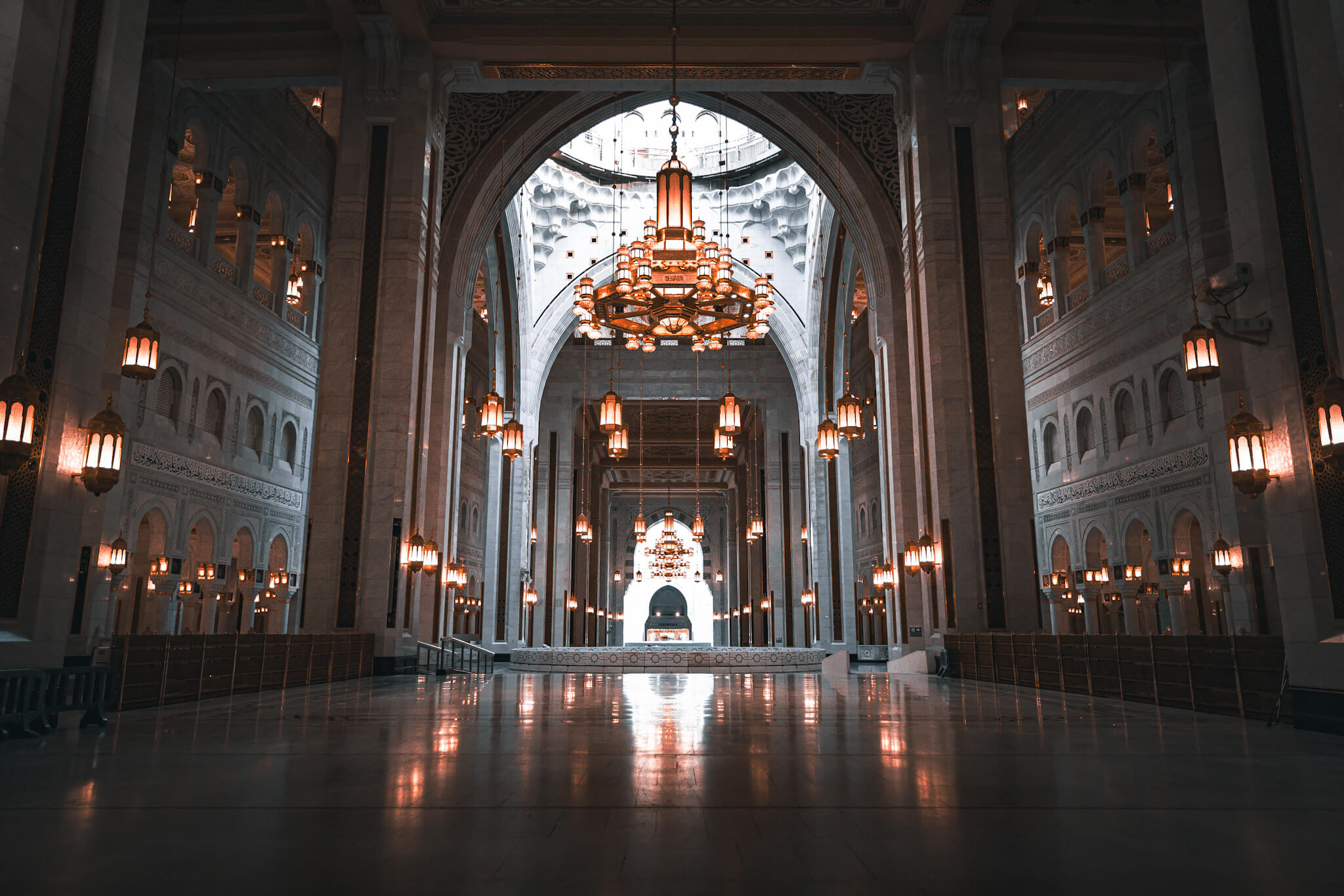
How to Book Your Rawdah Al-Sharifah Permit
A tranquil, step-by-step interactive walkthrough for securing your blessed prayer reservation via the official Nusuk app without confusion, stress, or delays.
Prayer Time Slots
Separate timings for men and women pilgrims
Men's Slots
Dhuhr to Isha
Afternoon prayer until evening prayer
Midnight to Fajr
12:00 AM until dawn prayer
Women's Slots
Fajr to Dhuhr
Dawn prayer until afternoon prayer
Isha to Midnight (2 AM)
Evening prayer until 2:00 AM, then men's slots begin
Create Your Nusuk Account
Before booking your Rawdah permit, you need to create an account and complete your profile with valid documents.
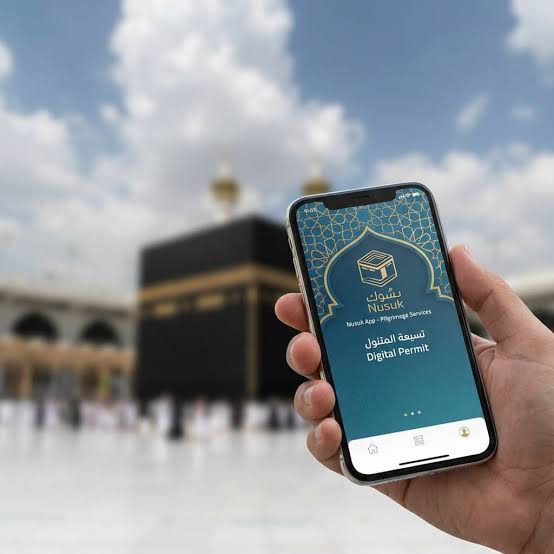
Account Registration Steps
- 1
Download the Nusuk App
Download the official Nusuk app from Google Play Store or Apple App Store on your mobile device.
- 2
Create Your Account
Register a new account using your mobile number. You will receive an OTP code for verification.
- 3
Add Passport Details
Enter your passport number exactly as it appears on your physical document.
- 4
Add Visa Information
Input your Saudi visa number or border entry number to complete your pilgrim profile.
Important Note
Make sure all your information matches your official documents exactly. Any mismatch may cause delays during slot confirmation or at entry checkpoints.
Account Setup Screenshots
Follow these screens to create your Nusuk account step by step
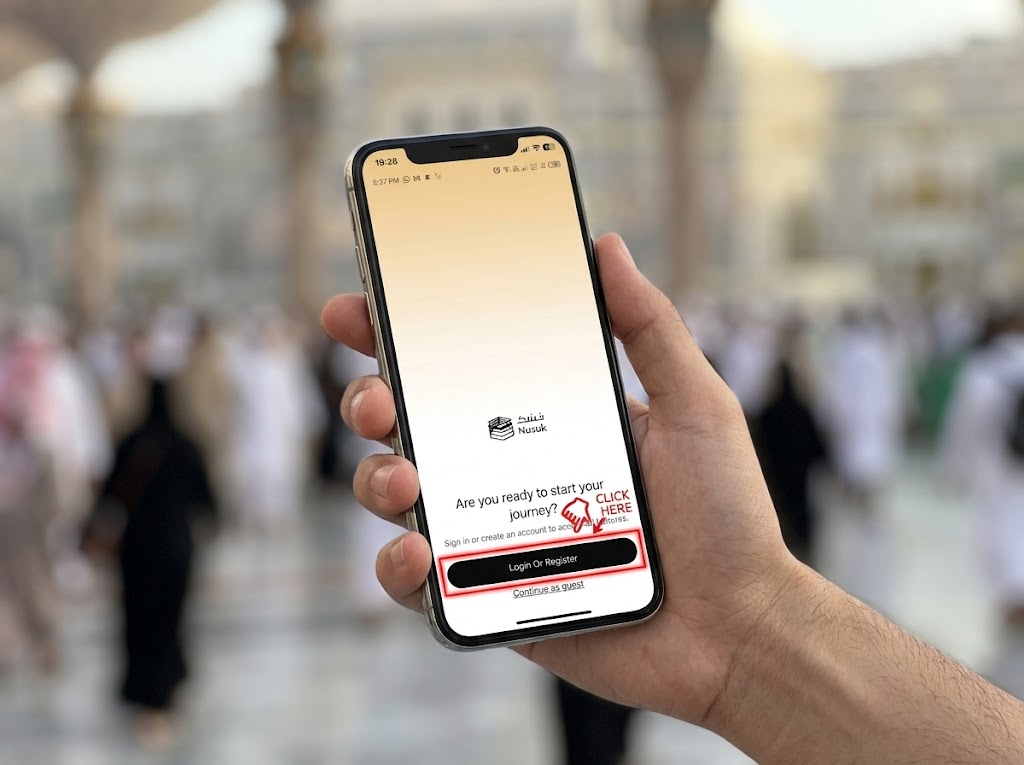
Download Nusuk App
Install the official Nusuk app from your app store and click on Login or Register
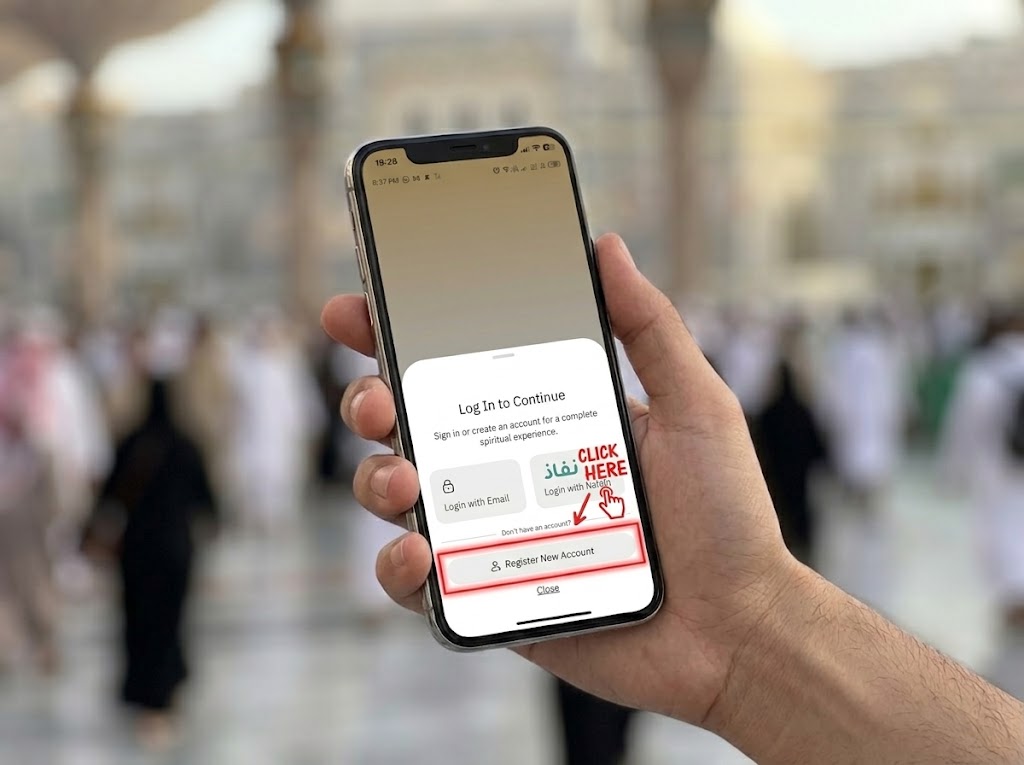
Register Your Account
Click on the Register New Account button to start the registration process
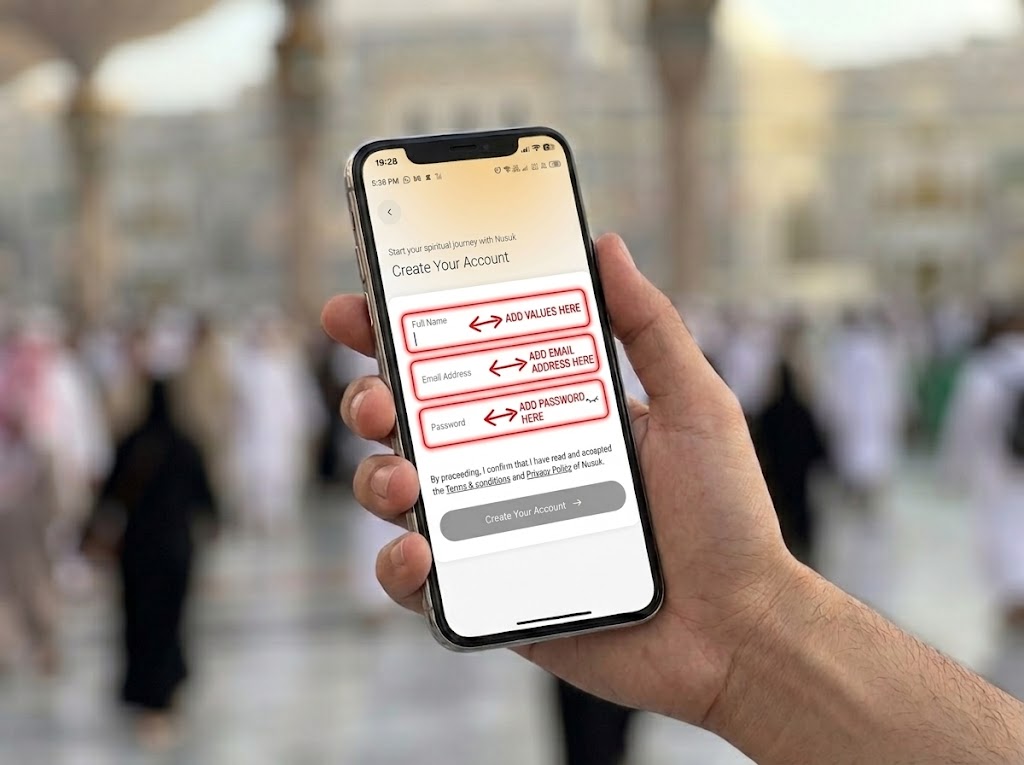
Enter Your Details
Add your Name, Email and Password then click on the Create Your Account button.
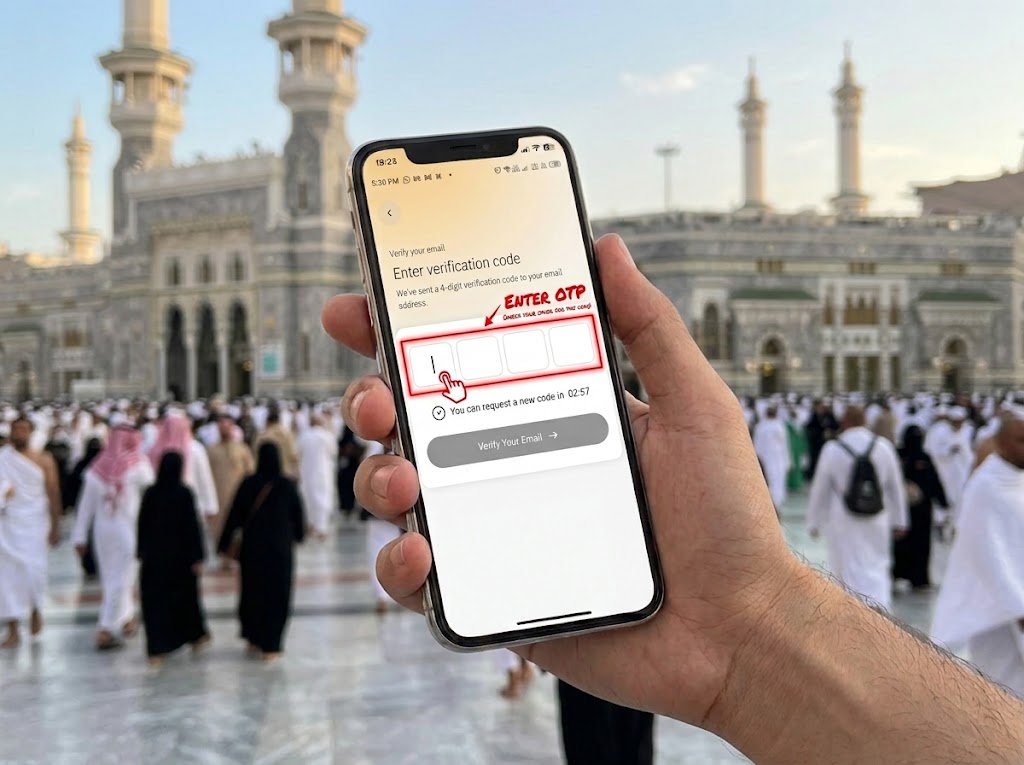
Verify OTP
Enter the OTP sent to your email to verify your account
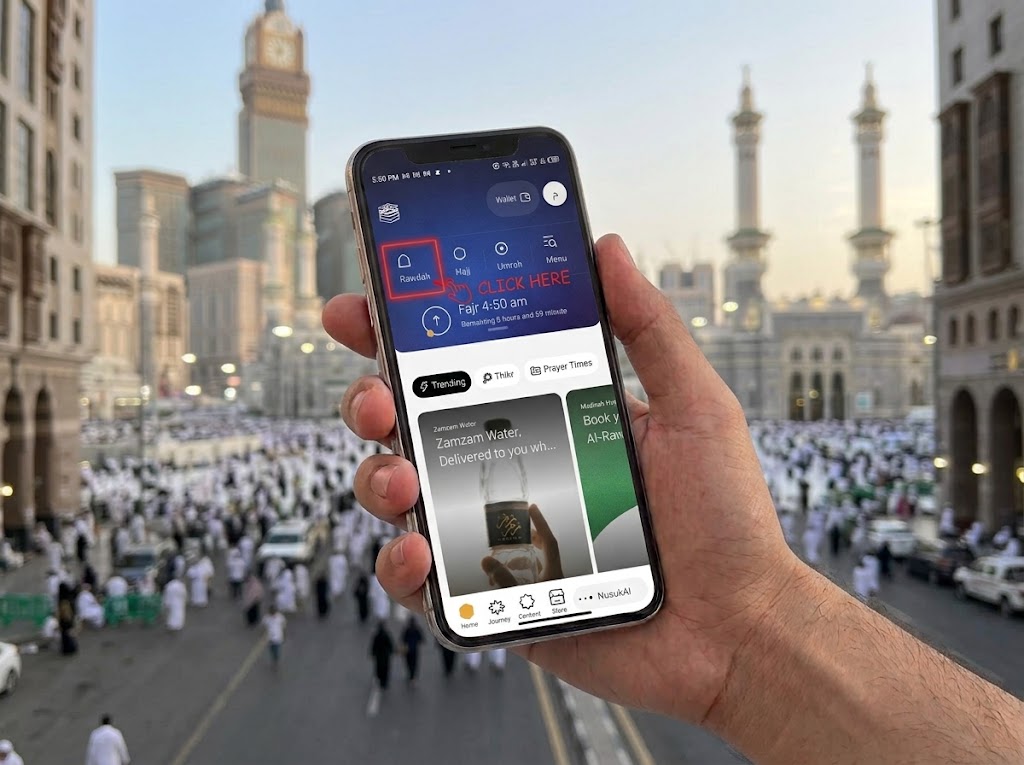
Click on Rawdah
Click on the Rawdah option to proceed with your account setup
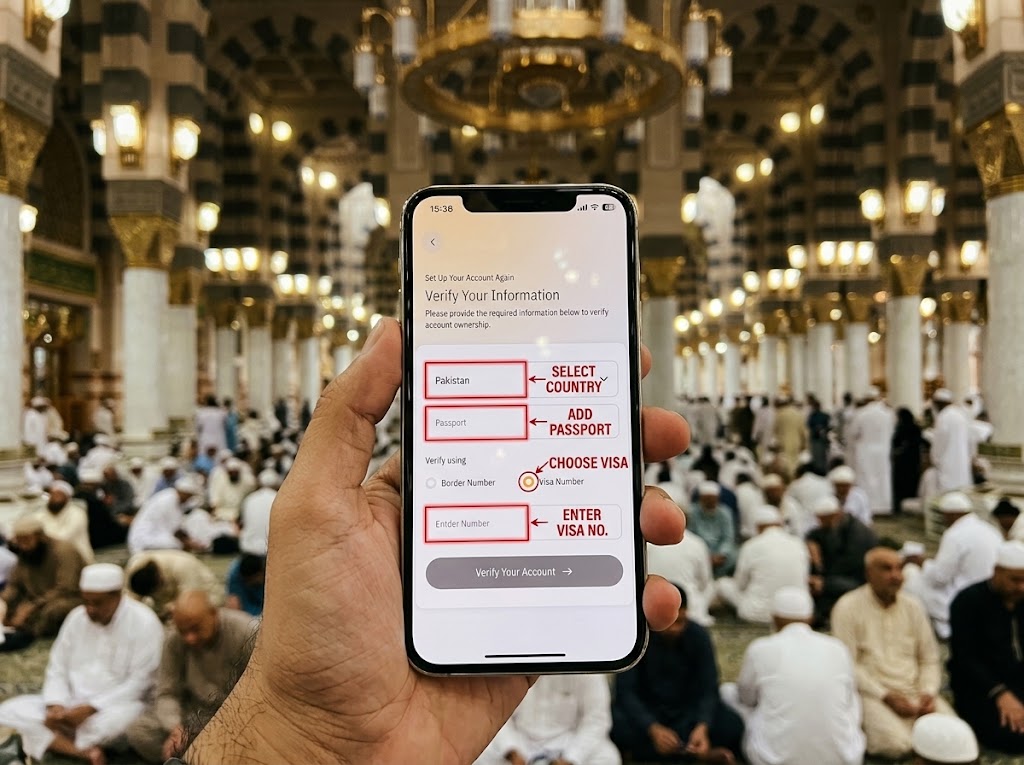
Visa Information
Add your Country of Origin, Passport and Saudi visa or border number
How to Book Your Instant Slot
Watch the video guide to follow the exact Nusuk booking sequence.
Visual Booking Guide
Follow these step-by-step screenshots from the Nusuk app to complete your booking.
Open Rawdah Booking
Start from your verified Nusuk account and open the Rawdah booking flow.
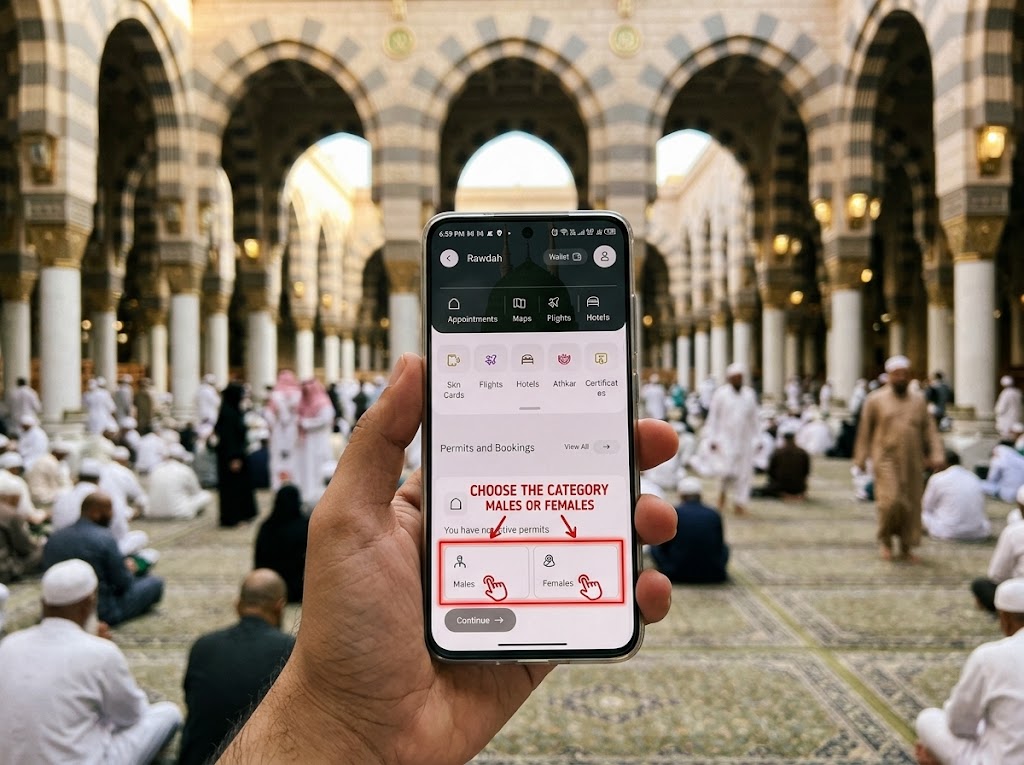
Choose the Gender
Select the Male or Female option.
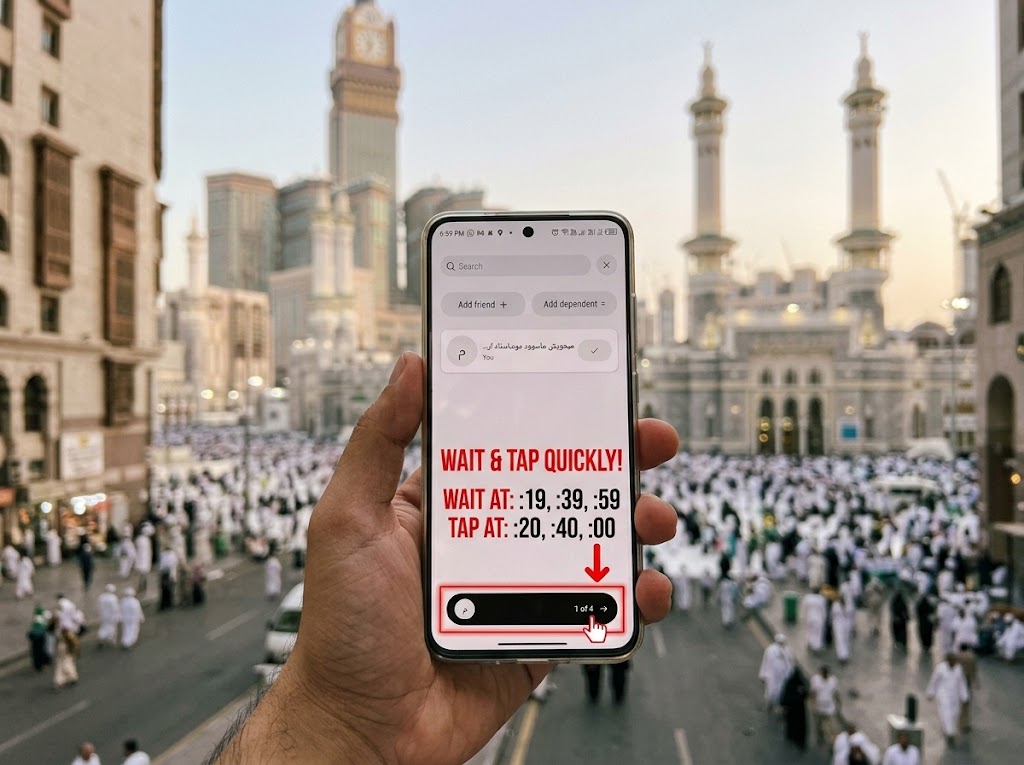
Select your Name
Very important: Wait at :19 , :39 , :59 minutes and Tap Quickly at :20, :40 and :00
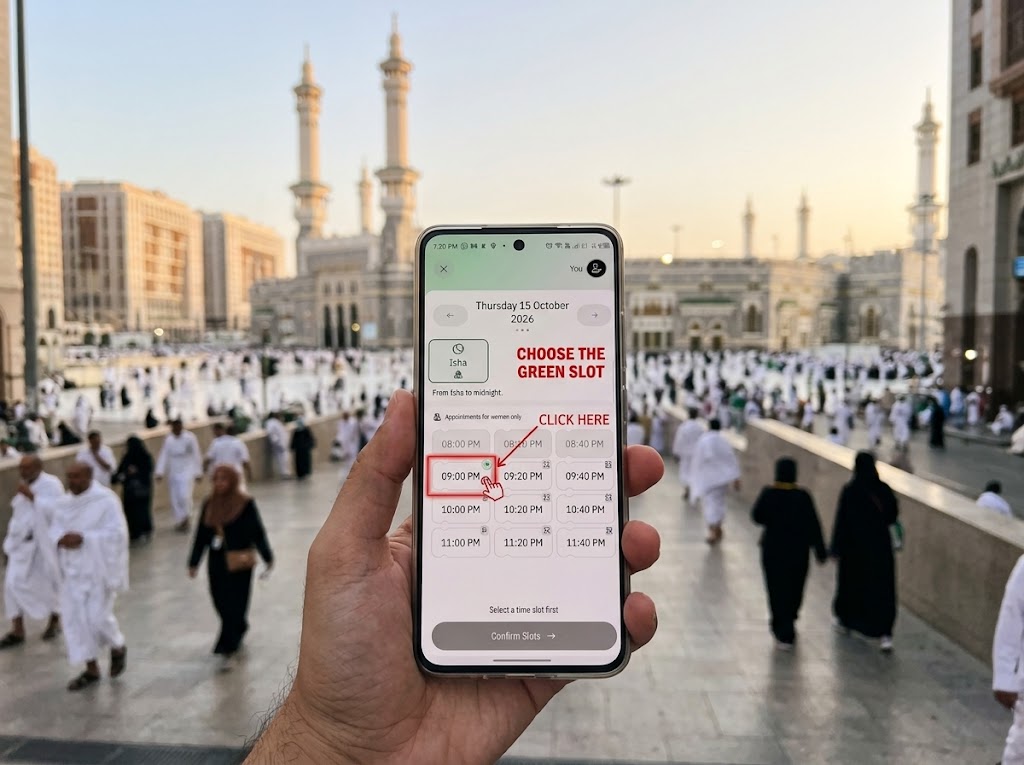
Pick a time slot
Tap on the available time slot (Green) to proceed with your booking.
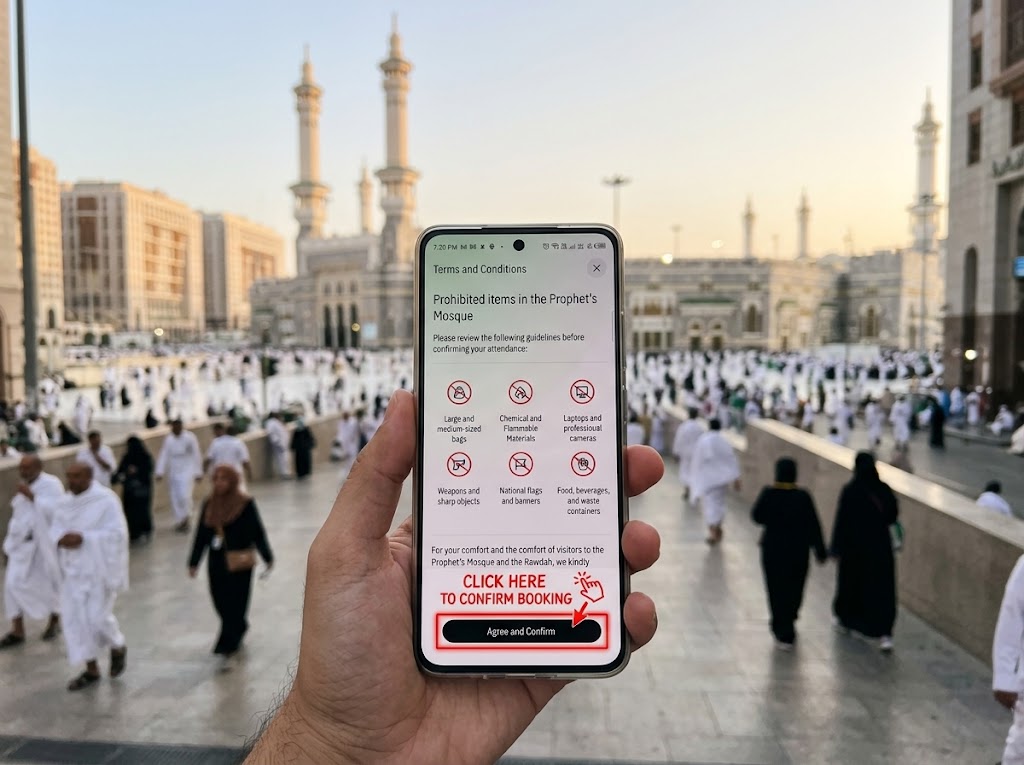
Confirm booking
Review the details and confirm to receive your digital permit.
Frequently Asked Questions
Solutions to real-time challenges pilgrims encounter during slot releases.
Get the Official Nusuk App
Only permits booked through Nusuk are recognized by Ministry gate controllers at the Prophet's Mosque.
Contact With Me
Free personal guidance provided for the sake of Allah. Feel free to reach out directly if you need assistance securing your Rawdah permit.

Direct message for quick help

Detailed booking inquiries

Professional profile & network
Prefer email?
Send your question directly and I will get back to you.